

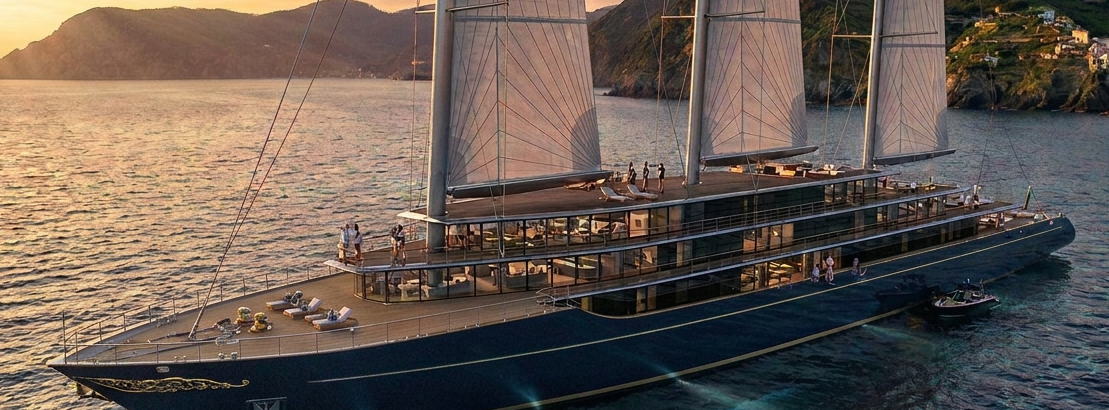
Long story short, a customer wants to explore an out-of-box idea: a super luxury sailing cruising ship and order us a concept study. Why? Their company is buying many regular yachts in Europe for chartering, and they think a single custom ship can make a better business, so let’s explore the idea. So, I decided to go through the design process differently this time, what if we do it entirely with AI not drawing a single line to explore the AI capacities. This article is about what we found.
After 29 prompts (624 words), 7 days, working 2 hours a day and spending U$ 27.30 in tokens here is what we got.
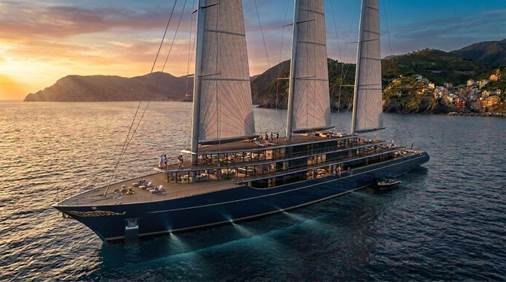
(IMAGE 1 – SHIP RENDER DESIGN)
I’ll break down the details of the process, the tools used, the ugly and the beauty, but going straight to the main findings: it had excelled at research and insight data, but it has not done that well at design and creativity, even though it has done good enough for preliminary designs. It can be questionable quality for the actual design in the next stages. Also, there are two aspects to be aware of, speeding up the process, which I found to be almost always true, and improving the quality which is not happening all the time.
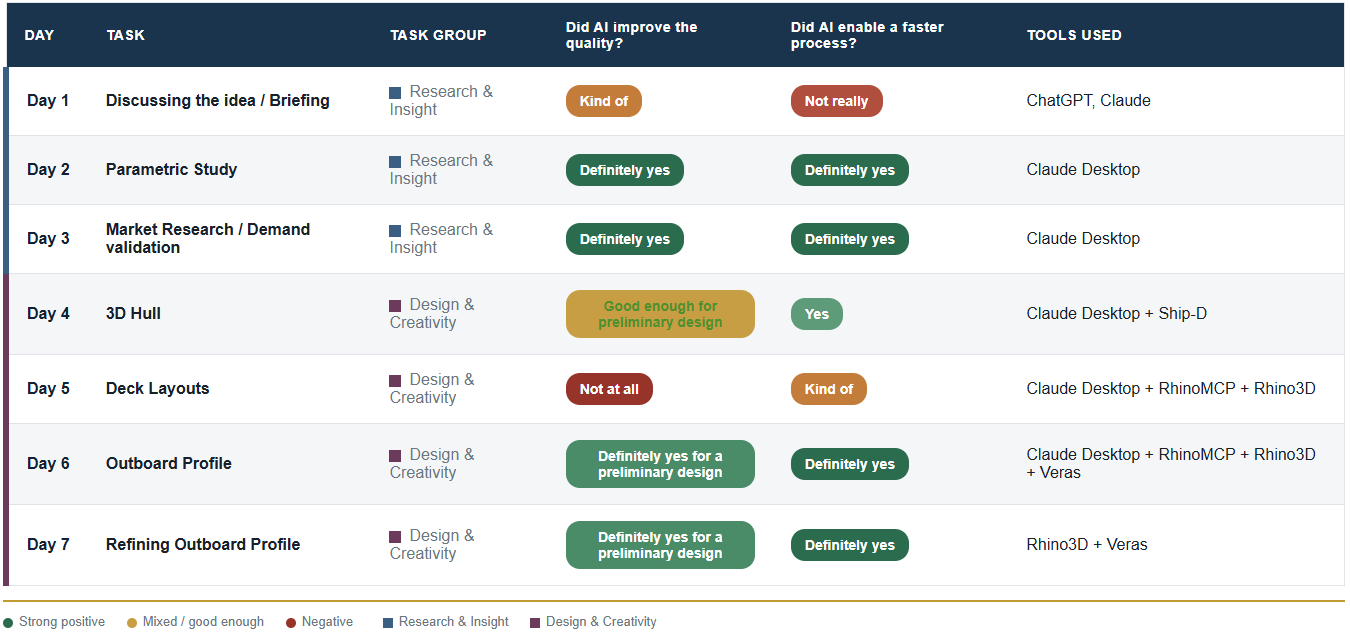
(TABLE 1 – TASKS DAY BY DAY AND AI TOOLS)
Next, I will go through all the steps, tools used, details and impressions. At the end I will sum up all the takeaways from a technical point of view.
Day 1 – Discussing the idea / Briefing
There was very little AI involved in this step. We discussed the ideas in person, took some notes and then just used ChatGPT to organize the text. Even though little AI was used here, those documents were extremely important to feed the AI in the next step.
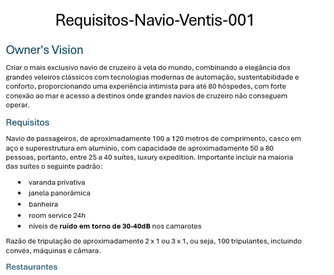
(IMAGE 2 – REQUIREMENTS OR USE CASE DOC FOR THE SHIP DESIGN)
Day 2 – Parametric Study
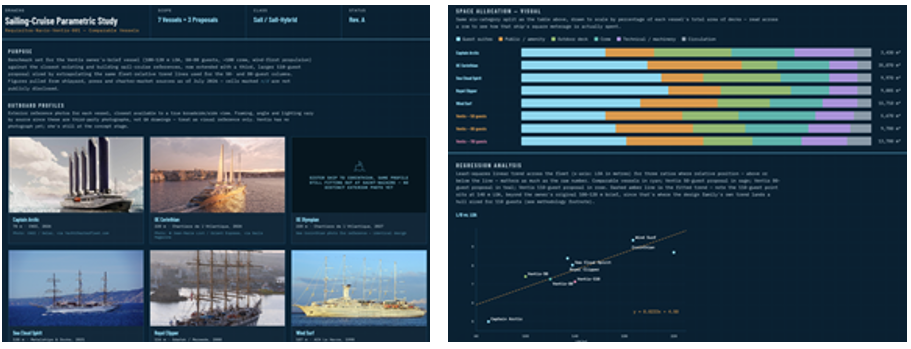
Parametric study is the process step where you look at similar designs to check your design assumptions. Here we got the first good surprise with AI, it exceeded our expectations. We basically did parametric study mostly manually for two ships and then fed it as an example to AI to improve and look for more ships.
(IMAGE 3 – PARAMETRIC STUDY)
Here we used the Projects feature in Claude Desktop, it allows you to group all the data about a project in a single place so you can reference back and forth the documents. At this point it gets really easy to do things like:
- Look for parameter X (for instance, water tank capacity) for all the ships and update the tables and documents.
- Create a graphic comparing X and Y (for instance, average guest room area per ship length), check if our design assumption fits to it.
Those tasks were otherwise very tedious and manual.
Day 3 – Market Research / Demand validation
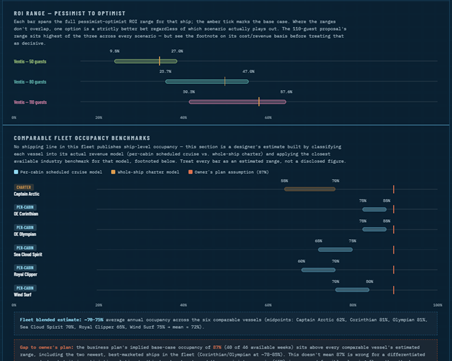
Another great experience here using Claude Code (mostly Sonnet 5), it feels like a super Google search. It found data otherwise we would have a hard time finding, also great insights. For instance, we could define the sweet spot for the ship size, smaller would be too costly related to guest capacity and bigger would be too risky.
(IMAGE 4 – SUPPORT DATA FOR BUSINESS PLAN)
Day 4 – 3D Hull
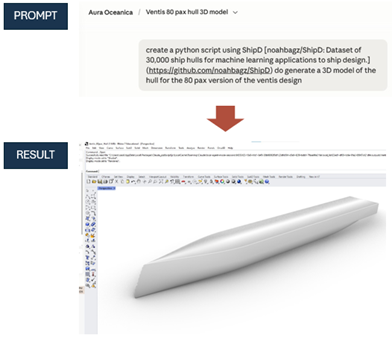
First, why create a 3D hull at a primary phase at all? I assumed if I could create it quickly, it would be of great use to verify the volumes, areas and double-check the numbers provided by AI. And yes, I was right, it was extremely quick to create a hull good enough for this task, took me just one prompt. The secret here was to feed the AI with a good database, for this I used Ship-D (Ship-D – DeCoDE Lab), a database with 30,000 ship hulls. That is a very important takeaway, you must provide good data to get good results.
Below is the prompt and the result, impressive.
(IMAGE 5 – 3D HULL PROMPT)
Day 5 – Deck Layouts
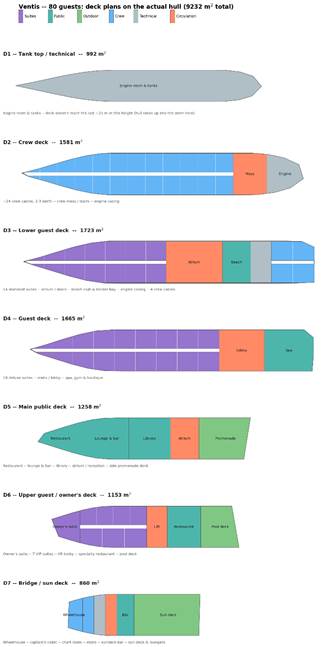
This step was the peak of the disappointment, I guess the expectations were too high due to the results we had achieved so far. Below is the best deck layout we could make, looks embarrassing. It was just used to barely check if the areas were correctly estimated. As an experiment I limited each day to 2 hours of work, so there might be existing tools or ways to do it better, I just couldn’t find anything good enough in this timeframe.
(IMAGE 6 – DECK LAYOYTS)
Anyway, it was used as reference to create the decks outline in 3D and get the sense of ship overall volume. All the geometry was created automatically in Rhino3D, not a single command was executed. For this I used RhinoMCP (rhinomcp | Food4Rhino), it allows you to just ask in Claude what you want and it models it in 3D for you.
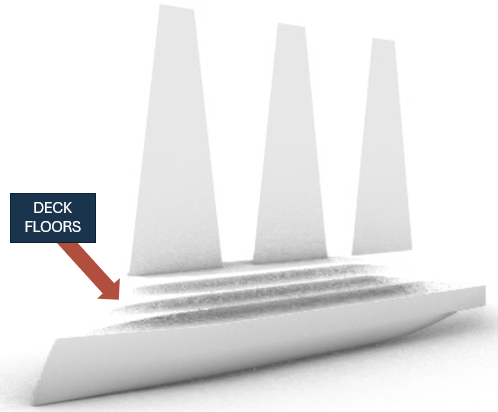
(IMAGE 7 – 3D DECK FLOORS OUTLINE)
Day 6 – Outboard Profile
In this step we discovered a great tool, Veras (VERAS | EvolveLAB). Forget about the way renders were made so far, no more hours modeling and setting up environment, lights, materials, at least for cases like this where it will be used in a business presentation to discuss an idea. For sure images for TV commercials for instance still involve a lot of technical work.
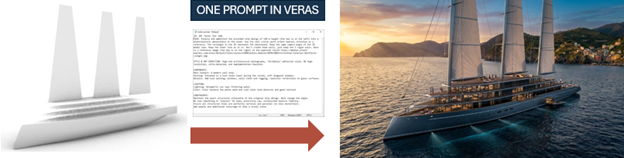
(IMAGE 8 – 3D SKETCH TO 3D RENDER, ONE PROMPT)
Day 7 – Refining Outboard Profile
Finally, we explored design variations and adjustments just using Veras. Those variations will be used as insight to feed back the initial steps again and so go through the design spiral. Not a single line drawn, by hand or on the computer so far, just prompting.
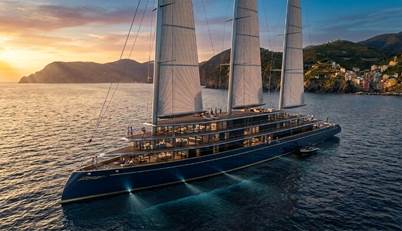
(IMAGE 9 – OUTBOARD RENDER VARIATION 1, CLASSIC PAINTING)
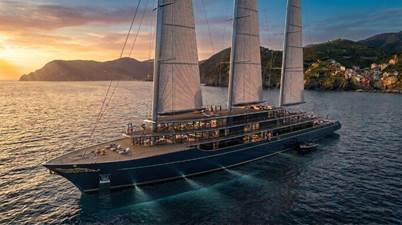
(IMAGE 10 – OUTBOARD RENDER VARIATION 2, CLIPPER BOW AND IMPROVED SHEER LINE)
Conclusion
We did not change the design process we used before, we just included AI in the loop with specific tools and approaches best suitable for each task. Having the process well defined and having been through it many times actually helped using AI wisely. This design was 100% made by AI. The next step will be trying a hybrid approach in the design tasks, like drawing a few lines by hand and feeding it to the tools, I guess it will generate great results.
Key Takeaways
- You need to use good data to get good results. For instance, we used Ship-D database of 30,000 ship hulls.
- Check everything. Even though AI can help a lot, you still need to have a strong technical foundation so you can judge the results.
- Using Claude Project is useful to keep the project organized and easily reference related documents and data.
- Don’t use Claude Cowork, instead use Claude Code and ask it to create a script/software in Python (or whatever programming language) to execute the task, it is much faster and more precise.

